 Smart Driver Log
Occupational · Restricted · Hardship licenses
Your driving log,ready when you are.
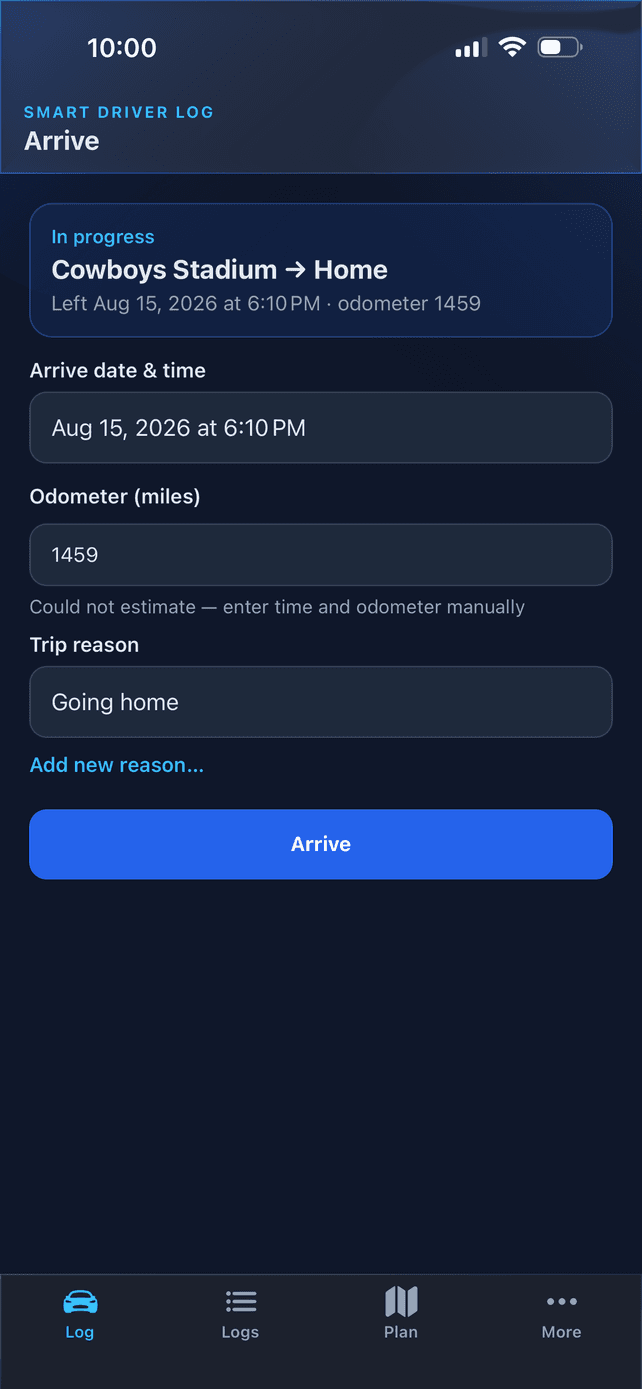
Pick a saved place and drive. Times and mileage fill in from Google Maps, so there's no typing at the curb. When someone asks for your log, open a clean PDF — even with no signal.
Built for Texas ODL and similar restricted or hardship licenses.
Card required. No charge for 7 days, then $7.99/mo or $49/yr. Cancel anytime.
Works on iPhone, Android, and the web — same account everywhere.


A notebook entry takes six fields. This takes two taps.
Every trip needs a date, both places, both times, your odometer, and a reason. Smart Driver Log already knows most of it before you start typing.
Search by name, not address
Type “Waffle House” and the closest ones come up first, using your location. No street address, no city, no scrolling past results three states away.
Miles and drive time calculated
On arrival the app pulls the distance and duration from Google Maps and shows you the estimate. Accept it, or type over it if you took the long way.
It remembers where you left off
Your next trip starts where the last one ended, with the odometer already carried forward. Saved places bring their own default reason with them.
Plan a whole day at once
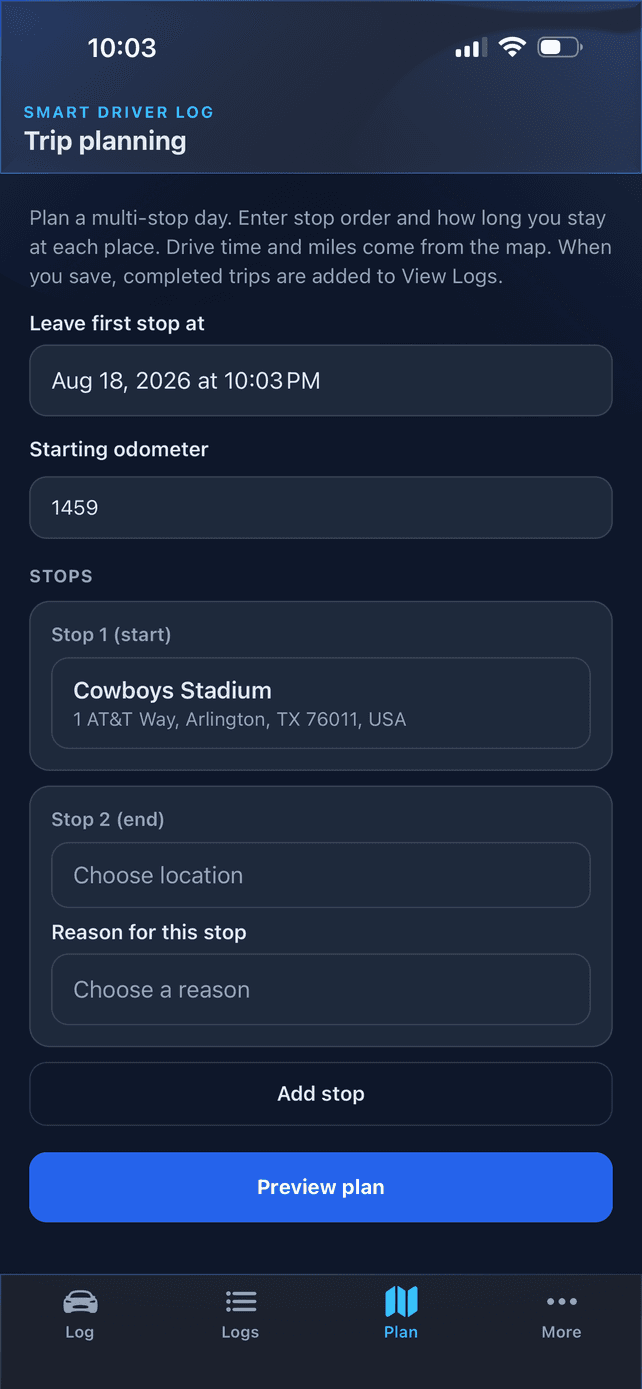
Line up several stops with how long you’ll spend at each, preview the times and miles, then save the finished run straight into your log.
Built for occupational, restricted, and hardship licenses. What these logs need to show
How it works
Choose a location. Drive. Export—ready when you need it.
Step 1
Log the trip
Pick where you’re going, then tap Depart and Arrive. Times and miles fill in from Google Maps.
Step 2
Review and edit
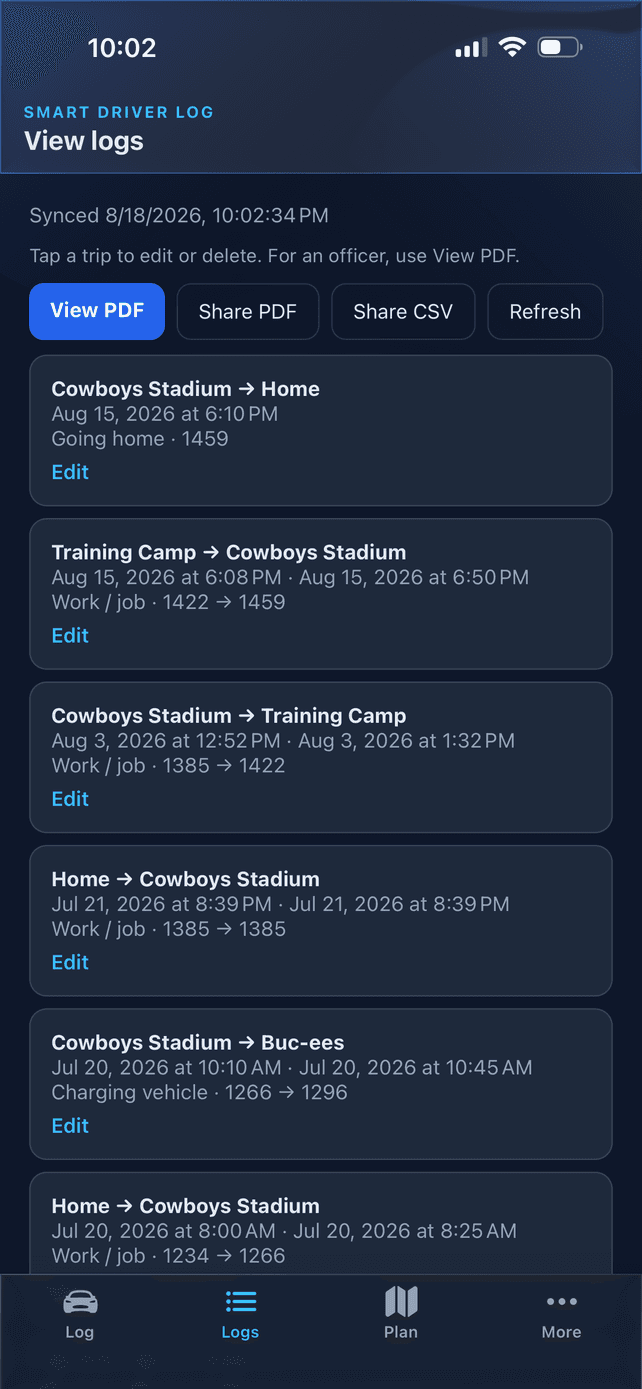
Fix a time, add a reason, correct the odometer. Everything syncs across your phone, tablet, and the web.
Step 3
Export
One tap turns your log into a clean PDF to show, or a CSV for your own records.
Works offline. Open your logs once while connected and they stay on that device, so you can pull up a PDF with no signal.
The export that does the talking
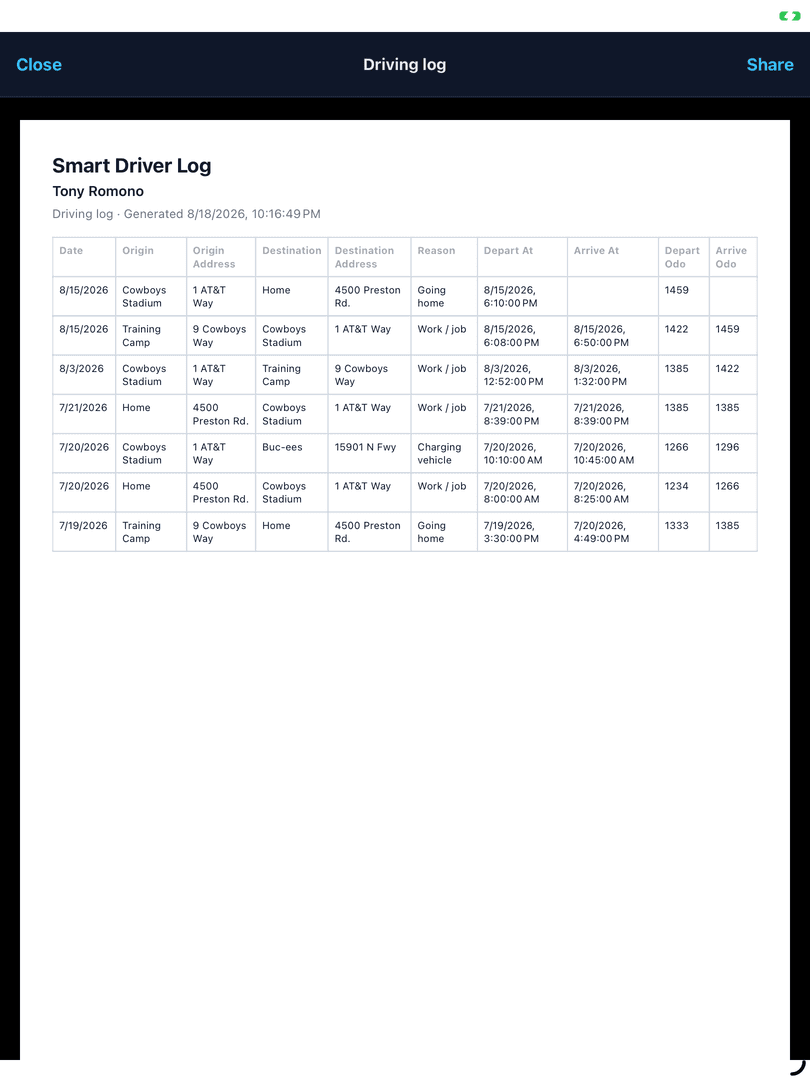
Your PDF is a proper record, not a mileage summary. Every trip carries the date, both place names, both street addresses, departure and arrival times, the odometer reading at each end, and the reason you drove — with your name and the date it was generated across the top.
It prints on standard letter paper and opens on any device, so you can hand it over, email it to an attorney, or file it.
Simple pricing
One plan, every device. Start with a 7-day free trial and cancel anytime from Billing.
Your data stays yours
Your trips live in your account and nowhere else. We don't sell your data, and you can export or delete everything whenever you want.
Smart Driver Log is a logging tool, not legal advice. Always follow your license conditions and local requirements.